


My Skillbox it is a tool that gives the employee access to system. Thanks to an up-to-date feedback, for example about skills appraisal, planned trainings, the system is supporting development of an employee.
Learn more about the Competency Matrix


Skills Matrix
Skills Matrix allows to manage skills in terms of a team or the whole organization.
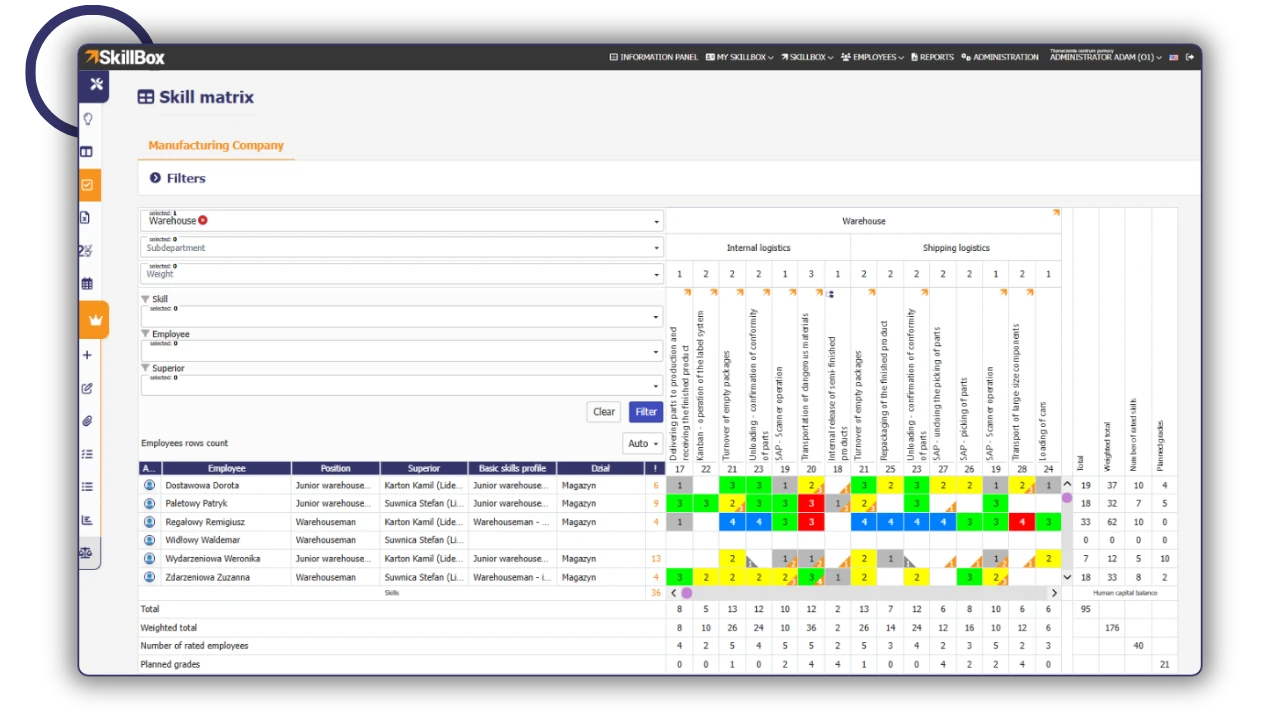
Manage your knowledge and your team in a planned way!
Try SkillBox
FAQ
What can I achive by using Skill Matrix?
Properly parametrized Matrix will deliver information about gaps and competency outgrowth in work fields. Information collected by systematically made skills evaluations will allow to make decisions about employees more efficiently.
Currently each of supervisors has his own Exel file. Will he have access only to his team in the SkillBox system?
Yes, each supervisor will have access only to his team and to their skills. Accessibility increases with the level in the structure.
Is it possible to self-modify the Matrix after implementation?
Yes, authorised persons (admins) will have the possibility of system modifications and parametrization as well as adding/cancelations of skills, work fields and modifications of assesment scales.
Qualifications Matrix
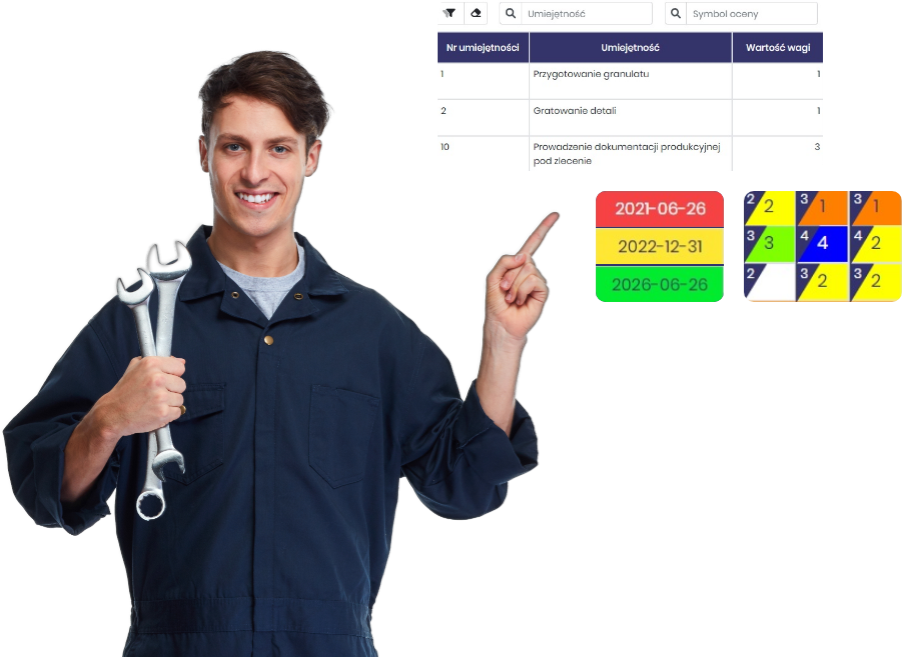
Qualifications Matrix enable to oversee the validity date of employees permissions, trainings, doctors certificates.
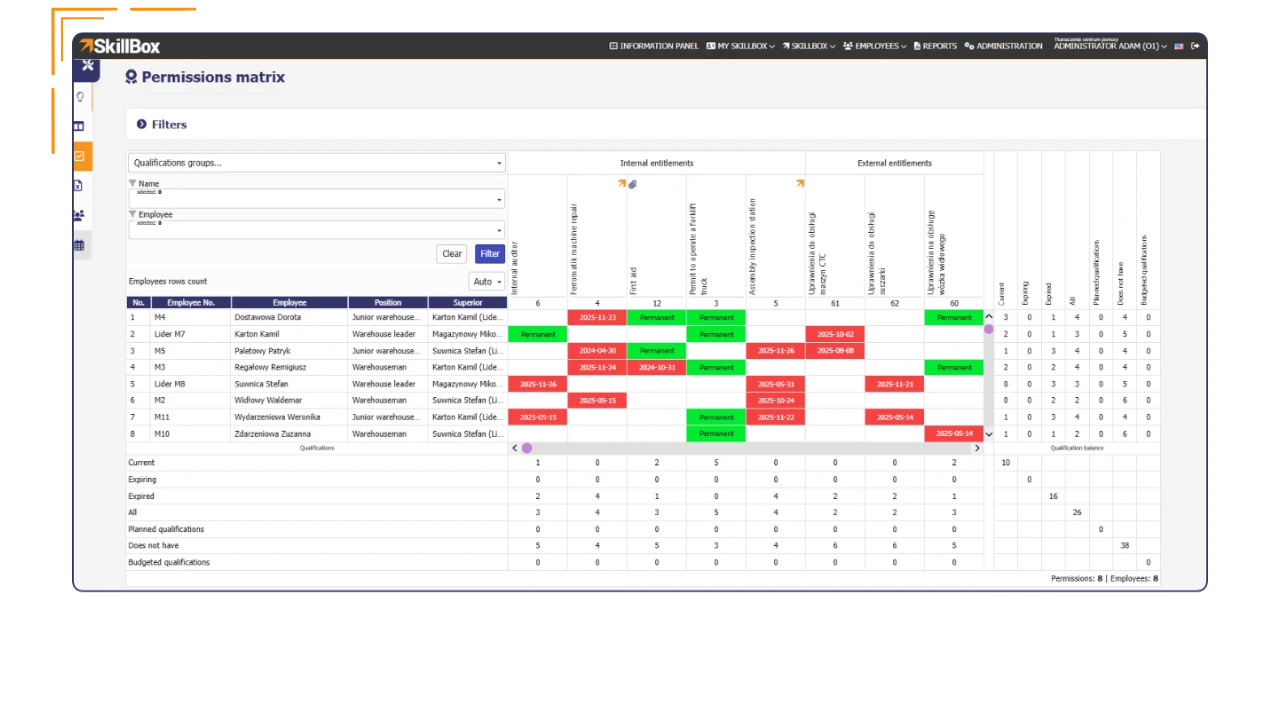
All important deadlines in one place!
Try SkillBox
FAQ
How does the Qualification Matrix support compliance with audits, inspections, and legal requirements (e.g., health and safety, ISO)?
The Qualification Matrix in SkillBox allows you to quickly determine whether employees have the required and up-to-date qualifications, training, and examinations. Thanks to the centralization of data and change history, the organization is better prepared for internal and external audits and minimizes the risk of formal non-compliance.
For which positions and industries does the Qualification Matrix bring the most value?
The Qualification Matrix is most valuable in areas where formal qualifications, certificates, or regular training are required, including manufacturing, construction, energy, healthcare, logistics, and the defense industry. It works well for both operational and specialist positions.
How does the Qualifications Matrix support training planning?
The analysis of deadlines and gaps in qualifications creates a picture of the real training needs within the organization, which speeds up decisions on further development activities.
Periodic Evaluation System
(VR/AR)
Periodic evaluation system together with Competency Matrix, allows to overwiev an employee – appraise his soft skills, verify alredy evaluated competencies, set and verify goals, analysis of training needs as well as make decisions about further employee development path.
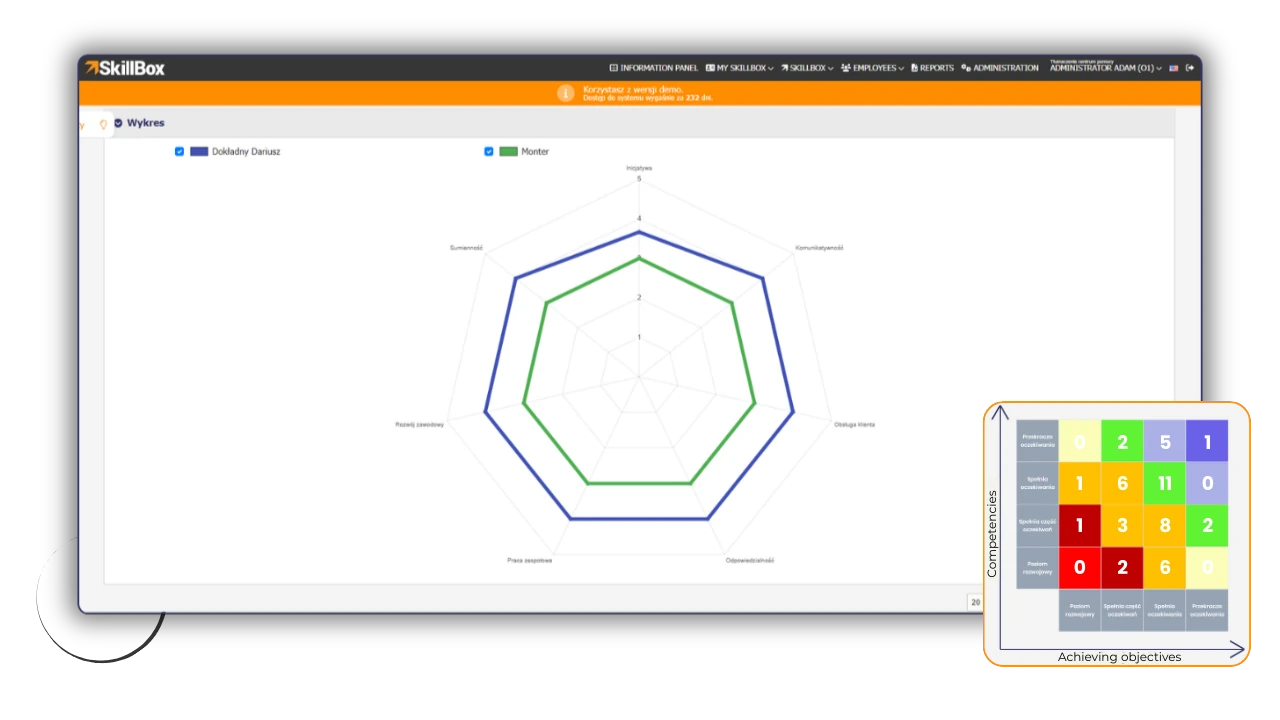
Evaluate your employee reliably and holistically!
Try SkillBox
FAQ
Why the evaluation process should be automated?
Our clients are reaching to us because hand made evaluation system is not effective at all. Evaluations are made on paper or electronic as a survey in MS Office applications and need to be implement into common data base to enable to make any analisis or action. The system automaticaly collect the data into reports. Also the system verify if the data is complete and the imput date is correct.
What kind of analisis are avaiable in the Periodic Evaluation System?
Skillbox has an expanded reporting module, which contains among others a comparison of the organisation or employees in chosen periods, analysis of training needs, report supporting interior recruitment as well as personnel decision simulator, where you can verify if an employee, for example as a result of a promotion, will meet requirements of the competency profile.
Who is parametrysating the process?
The system Admin has ability of uploading his own competency directory and can parametrise the process accordingly to the actual course. The survey apperance in terms of rating section (competency, skills, training needs, goals etc.) is tottaly configurated from the client site.
Onboarding and Offboarding
The module standardizes employee pre-onboarding, onboarding, and offboarding processes, ensuring consistent and effective employment cycle management. With clearly defined roles and responsibilities, it minimizes the risk of errors and increases transparency across the organization. The automation of many stages significantly reduces operating time and relieves the burden on HR departments and managers.
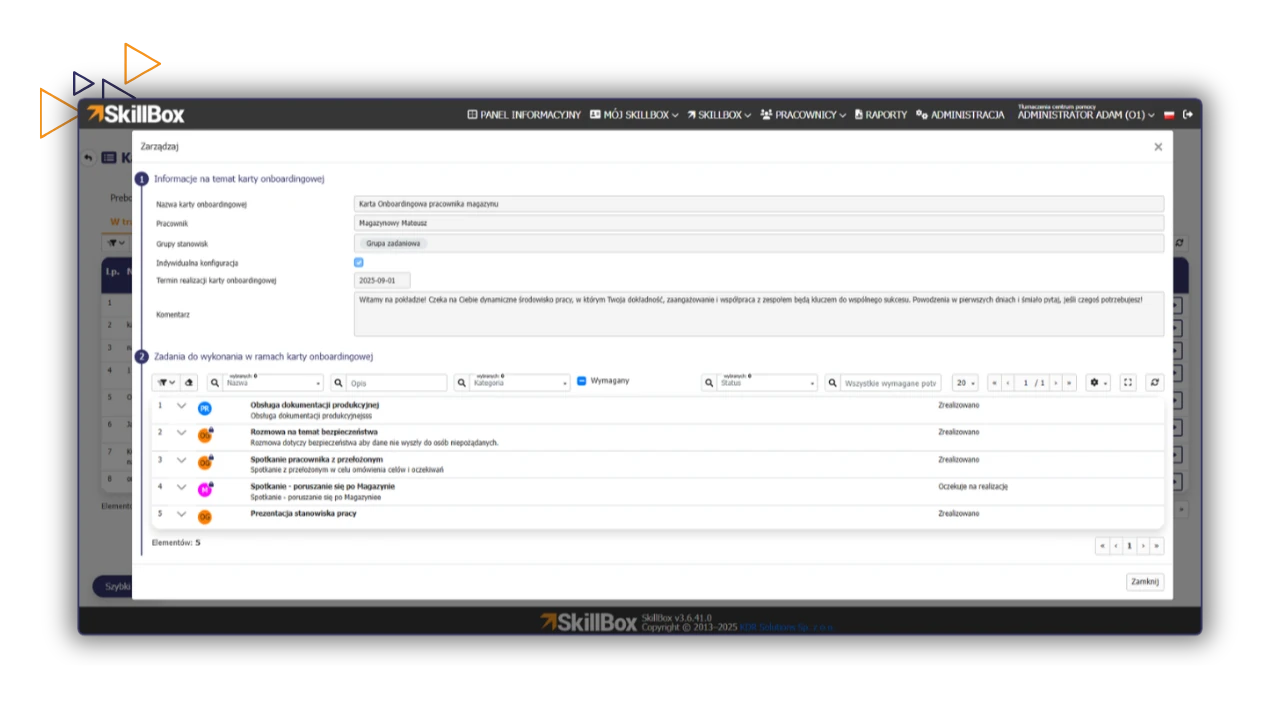
Quick start, safe completion, and zero gaps in processes.
Try SkillBox
FAQ
Is it possible to analyze the progress of employee onboarding processes on an ongoing basis?
Yes, analytics and reports from onboarding processes allow you to monitor the progress of entire groups of employees or individual units. You can easily identify bottlenecks in the process, check the average duration of implementation, and verify which stages require optimization.
Can I create different onboarding paths for different departments or positions?
Yes, the Onboarding module in SkillBox is fully flexible. You can create an unlimited number of onboarding card templates tailored to specific departments or positions. Each path can include unique tasks, documents to review, and dedicated onboarding mentors.
How does the Onboarding and Offboarding Module protect employers?
The complete history of operations and statuses provides a digital trail of the employee’s departure process. In the event of audits or disputes, the company has evidence that the process was carried out in accordance with the law: equipment was returned, access to sensitive systems was revoked, and the employee reviewed the necessary final documents.
Documents and alerts module
Module with documents will suport the company during the audits by displaying employees’knowledge of necessary documents ( for example with procedure, instruction). Alerts will make sending notifications to any group of employees easier.
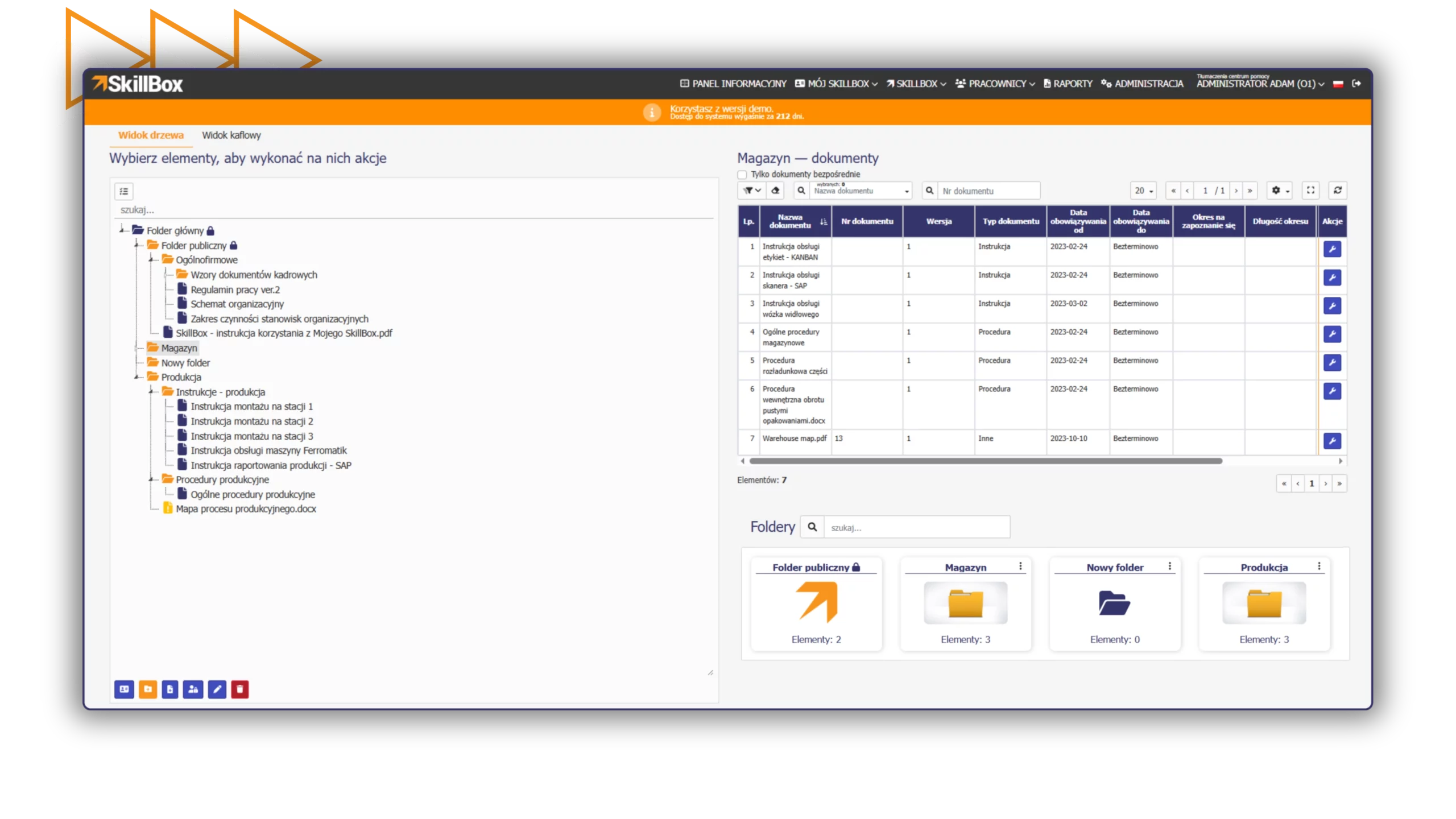
Manage in an organized manner!
Try SkillBox
FAQ
How does the system monitor the timeliness of reviewing documentation/information?
Each alert or document shared in the system may have a strictly defined deadline for reviewing its content. The administrator has constant oversight of each employee’s status and can see who has already read the message and who has not. The system can also send automatic reminders about upcoming deadlines, which ensures high discipline in the circulation of company information.
Can I restrict access to specific documents to selected departments only?
Yes, the documents and alerts module in SkillBox allows for precise management of permissions. You can share selected documents with specific employees or entire groups, ensuring that confidential instructions or procedures are only accessed by authorized persons.
How does linking documents to the Employee Skills Matrix work?
This is a unique feature of SkillBox that allows you to associate documents (e.g., certificates, job descriptions) with specific skills in the Skills Matrix. During periodic employee evaluations, the system automatically verifies the validity of these documents. If, for example, technical qualifications have expired, the manager will receive an immediate notification, which facilitates the management of competency gaps.
Budgeting
and Training Management
Training management allows for a comprehensive training process in the organization, from budgeting tot he assessment of training effectiveness.
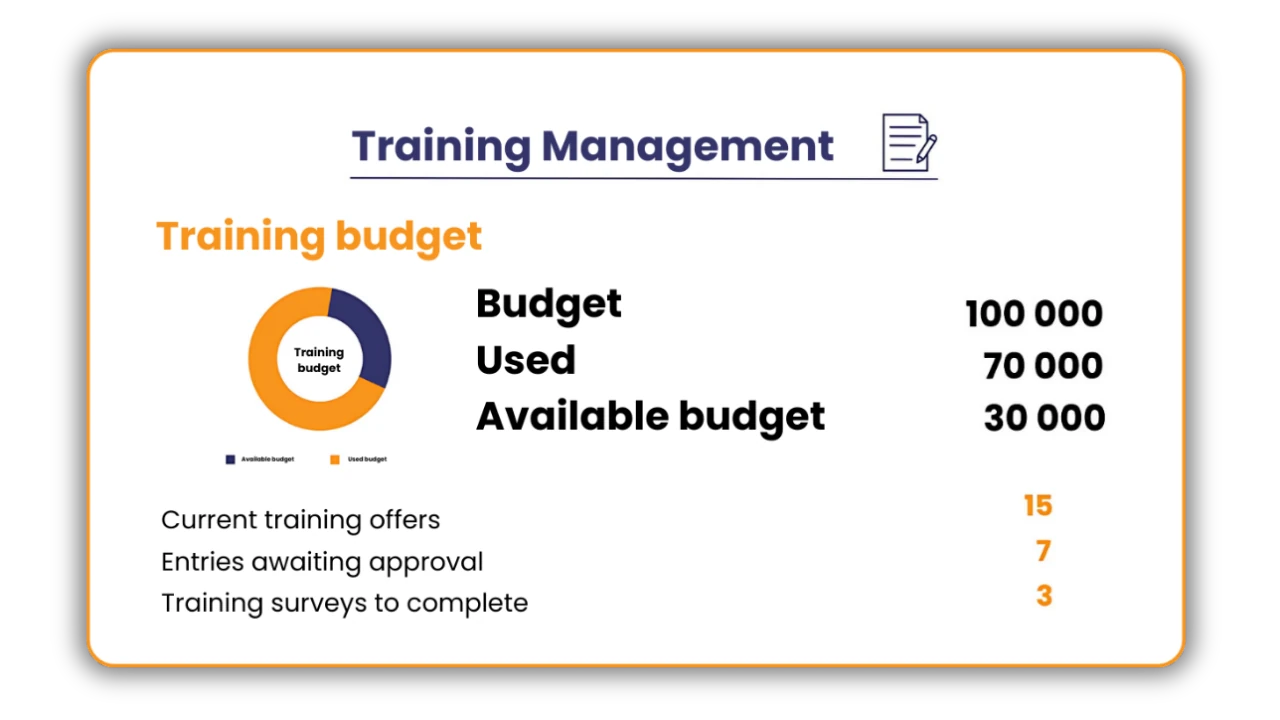
Manage the training process in your organization.
Try SkillBox
FAQ
How is the effectiveness of training courses measured?
The module automates the evaluation process by automatically sending post-training surveys to participants. The collected data allows for the assessment of the substantive quality of the course and the work of the trainers.
We have hundreds of employees. Do I have to manually enter certificates into the system after each training session?
The training budgeting and management module has an automatic training registration function in the Training Matrix. When training is completed in the module, the system automatically updates the employee’s competencies and allows you to instantly attach a document, such as a certificate.
Will the training approval process come to a standstill when the manager is busy?
The ability for employees or supervisors to sign up for training directly makes the process transparent. Each request has its own status, and the decision-maker can see the current entries awaiting approval directly in the panel, which eliminates paper document circulation.
E-learning
(VR/AR)
The E-learning module enables efficient management of online training, providing quick access to learning materials and ongoing monitoring of progress.
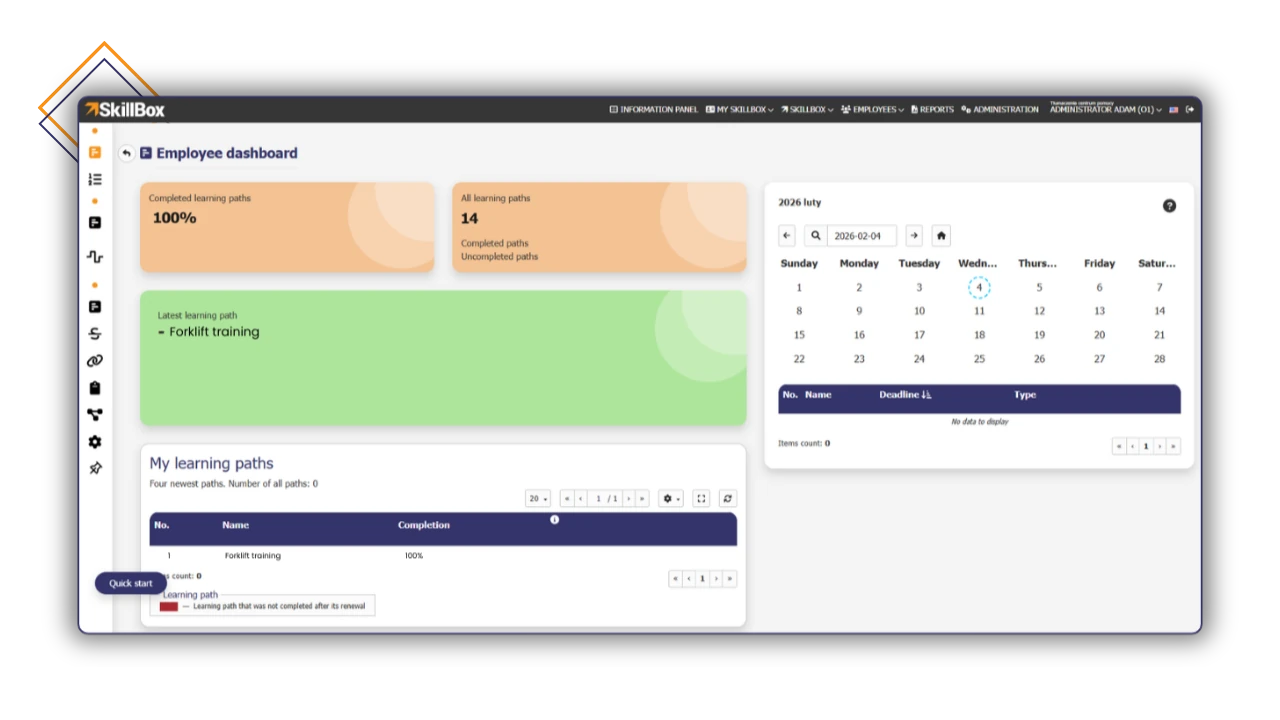
Optimize your development process, saving time and resources!
Try SkillBox
FAQ
What if my employees don't have time for long training sessions?
The SkillBox platform focuses on efficiency. Thanks to automatic training suggestions based on competency gaps, employees receive only the materials they need. The ability to create and import your own educational materials allows you to use dedicated courses that can be tailored to your needs.
Does the E-learning module in SkillBox help in the objective assessment of employees?
Yes, the E-learning module in SkillBox provides management with data that enables fair assessment. Completed training paths form the basis for verifying acquired skills. In addition, managers have access to the actual time spent on learning and test results.
How can I know if a certificate from the system has any real value?
The system minimizes the risk of “clicking through” materials thanks to locks (e.g., no video scrolling) and generating certificates only after the course has been fully completed. In addition, real-time monitoring records the exact time spent learning and partial results. This provides data for assessing the reliability of the training, not just information about its completion.
Knowledge Base
The Knowledge Base module is a central repository for articles and operational knowledge. It reduces the workload for the HR department and managers. It provides a single, consistent source of information, protects it from dispersion, and significantly speeds up the onboarding of new employees.
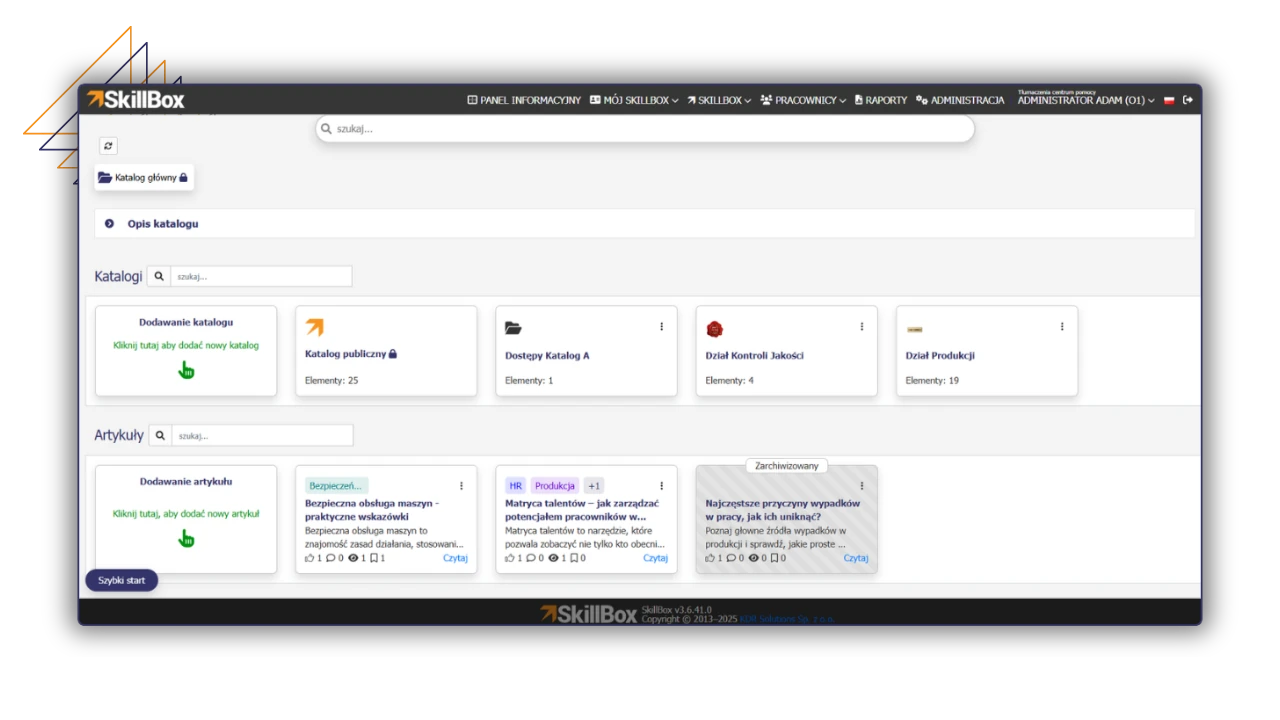
Discover the power of knowledge at your fingertips!
Try SkillBox
FAQ
How does the Knowledge Base module in SkillBox save time?
The Knowledge Base in SkillBox is a single, consistent source of information to which employees can be referred. This reduces the workload for the HR department and managers. In addition, it allows new employees to familiarize themselves with the materials on their own, which significantly speeds up the onboarding process.
Can anyone edit articles posted in the Knowledge Base?
The Knowledge Base in SkillBox has a feature that suggests changes to published articles. The proposed change is sent to the author of the article and authorized persons.
Can I link articles from the Knowledge Base to employee skills?
Yes, SkillBox allows you to link articles to specific skills in the Skills Matrix, e.g., an article on health and safety for working with toxic substances.
Document Flow
The Document Flow module brings order and transparency to the application flow process in your company. It reduces approval times and the number of pending applications thanks to improved communication and the assignment of responsibilities. The module minimizes errors and ensures process compliance thanks to an auditable history.
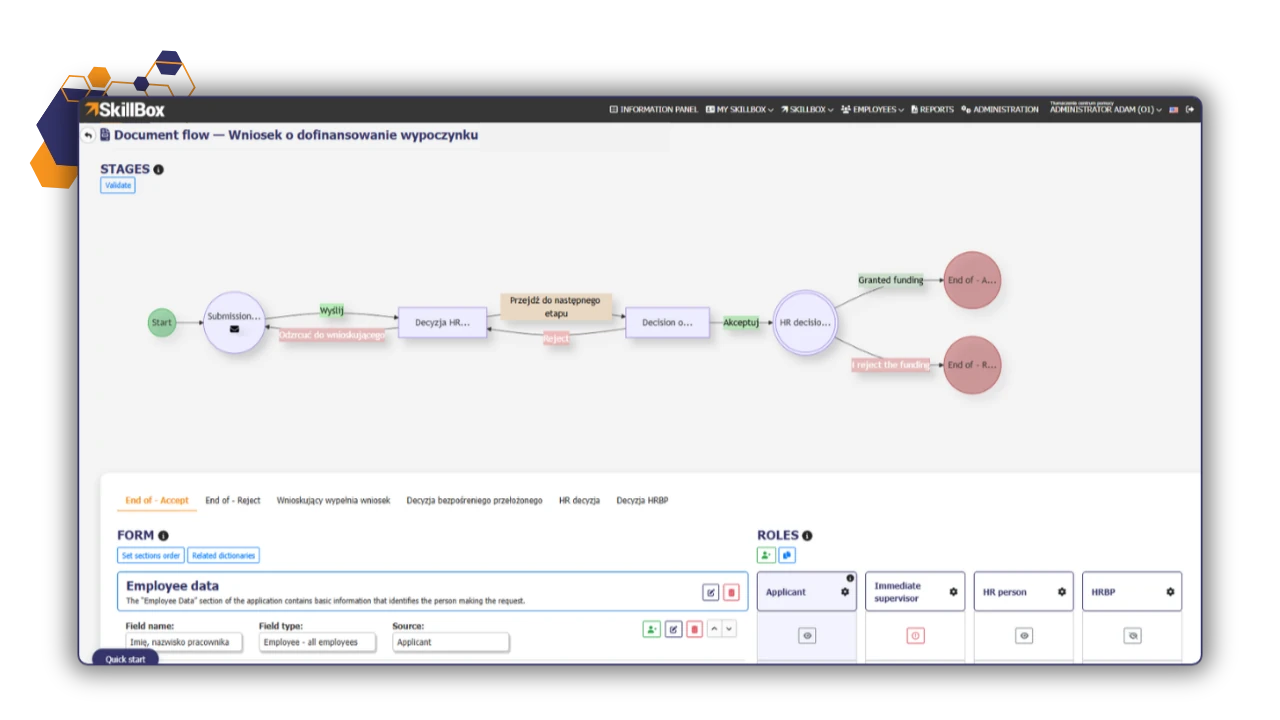
Digital document circulation under full control!
Try SkillBox
FAQ
What types of company requests can I handle using the document workflow module?
The system enables the processing of various requests, such as requests for leave, social benefits, business trips, or equipment purchases.
Where are finalized applications stored?
The platform offers a repository of applications, allowing easy access to historical documentation.
Can I check what stage my application is at?
Yes, the document status monitoring feature allows for full control over the process. This makes it possible to quickly locate the stage at which an application has been held up.
Succession Matrix
The Succession Matrix makes it possible to identify successors for key positions in the organization, supports the process of development planning and minimizes personnel risks.
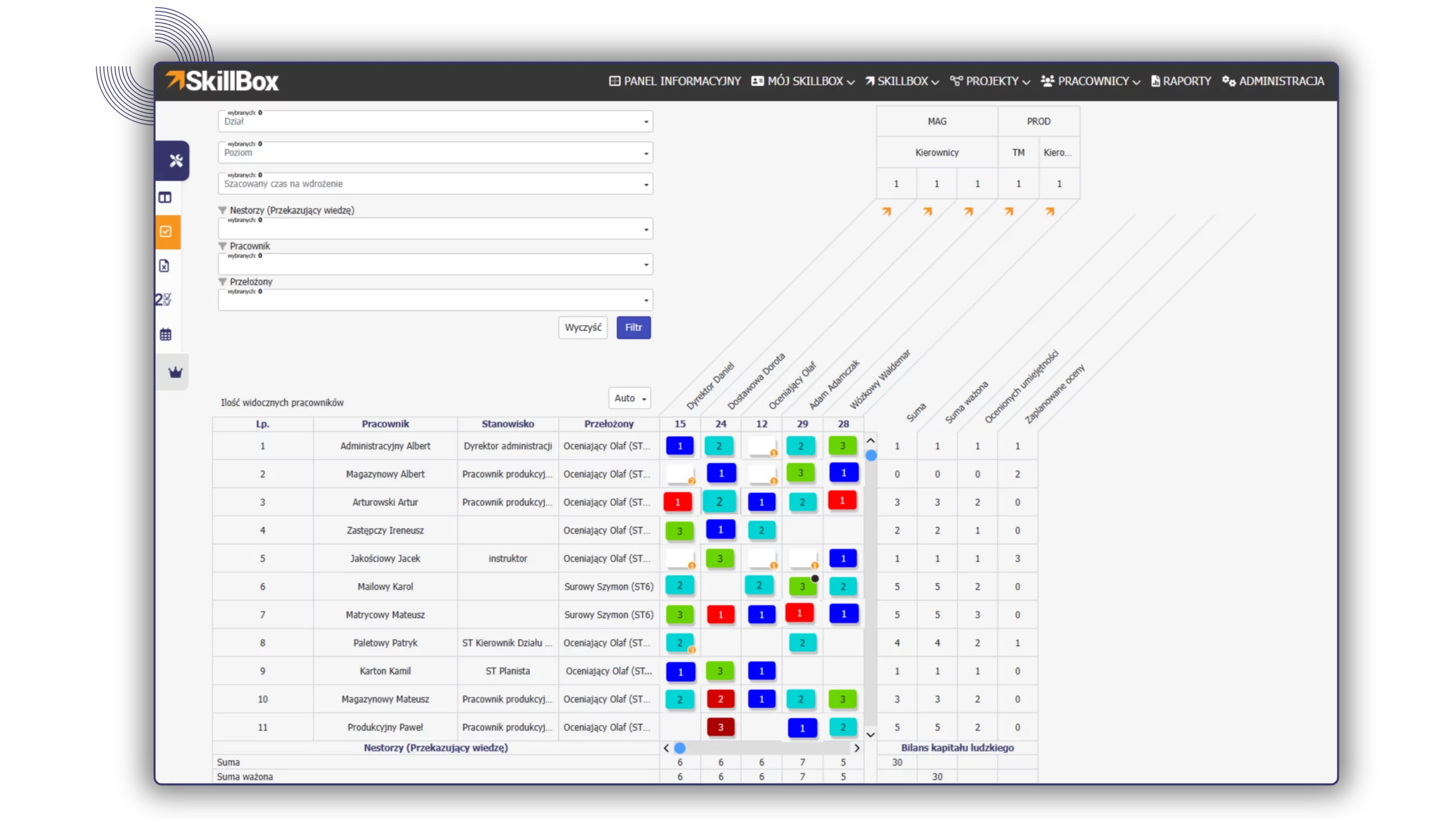
Build organizational strength through deliberate succession planning.
Try SkillBox
FAQ
How does the Succession Matrix secure knowledge within the company?
The Succession Matrix enables the identification of potential successors for each position in the organization. This ensures that the company is prepared for the sudden departure of key employees, and rapid analysis of personnel risk allows for continuity of processes and knowledge transfer.
How does the system help assess an employee's readiness for promotion?
The system offers an assessment of candidates’ readiness to take on a given position. This allows you to objectively check whether an employee has the required competencies before taking on new responsibilities.
Is it possible to define requirements for a successor before they take up the position?
Yes, the Succession Matrix allows you to create succession plans in which you can define specific tasks and goals required to assess the readiness of a successor.
Employee surveys
The survey module allows you to collect opinions and feedback from employees in any areas. Thanks to flexible configuration, surveys can be directed to selected groups of employees, and the results will support decision-making and development activities.
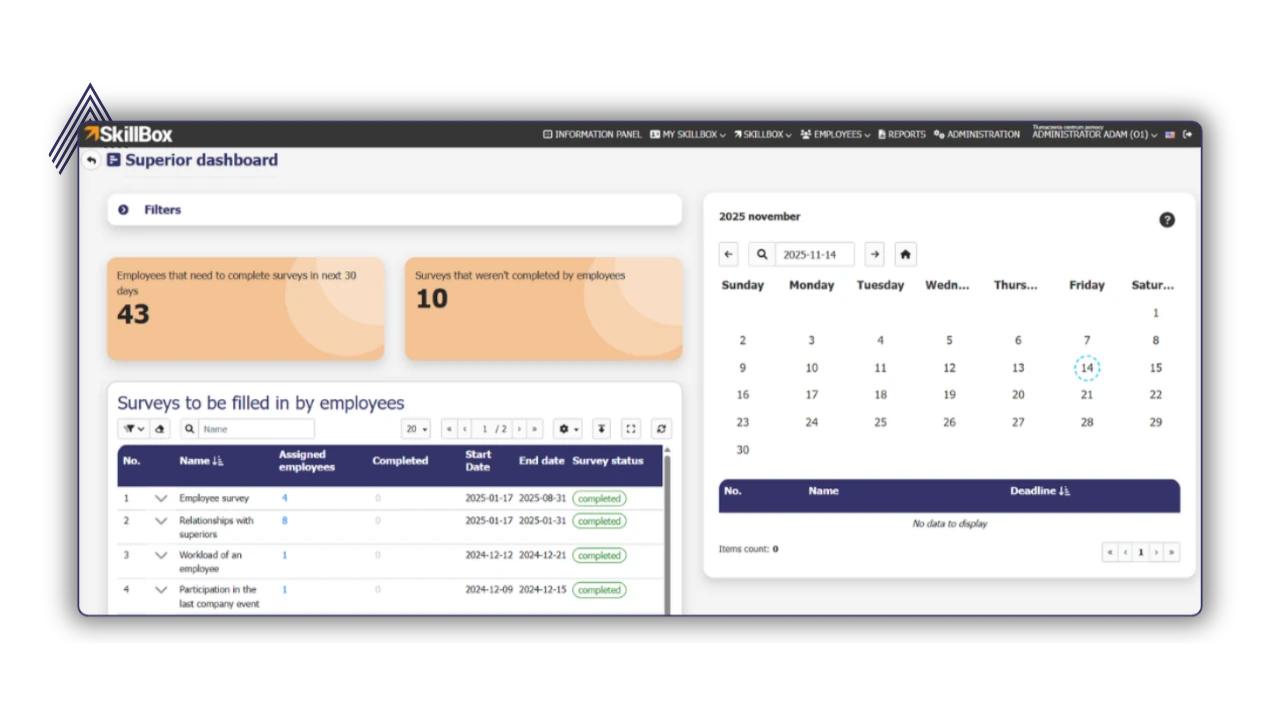
Learn the team’s opinion and make sound decisions.
Try SkillBox
FAQ
How do employee surveys support the decision-making process in a company?
The module enables the collection of opinions and feedback from employees in any area. The collected results support decision-making and development activities based on the real needs of the team.
Do surveys allow for analysis of changes over time?
Yes, the platform allows you to compare results between periods and teams, enabling you to track trends and the effectiveness of changes implemented.
Can employee surveys be anonymous?
Yes, the employee survey module allows for flexible configuration, enabling you to create completely anonymous surveys, which increases the honesty of responses and trust.
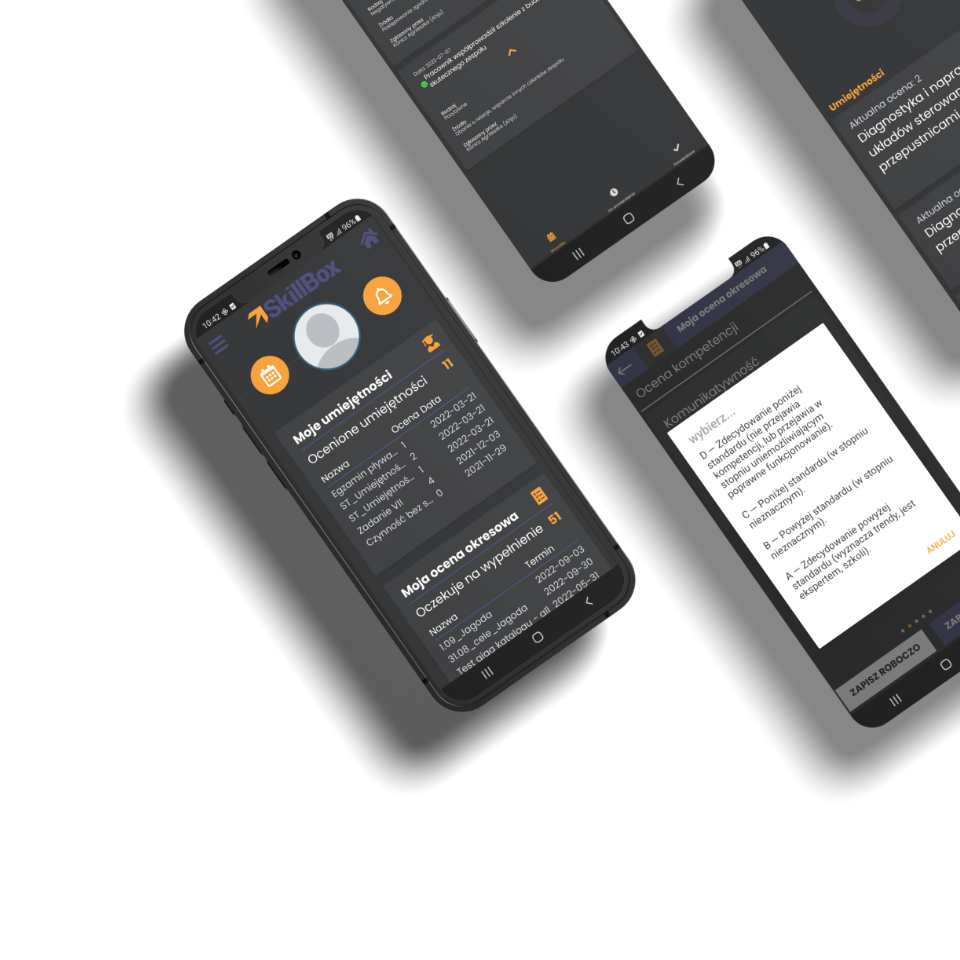
My SkillBox
Mobile App
for Android and IOS
Mobile App gives access to the system in terms of SkillBox for an employee. Thanks to this App an employee can check information ,for example about devolopment plan form any place.
Salary Analytics
– coming soon
Salary analytics enables the creation of a transparent job evaluation system. It facilitates salary reporting, reduces the risk of unjustified pay differences, and provides a basis for creating salary scales and remuneration policies that comply with the requirements of the Pay Transparency Directive.
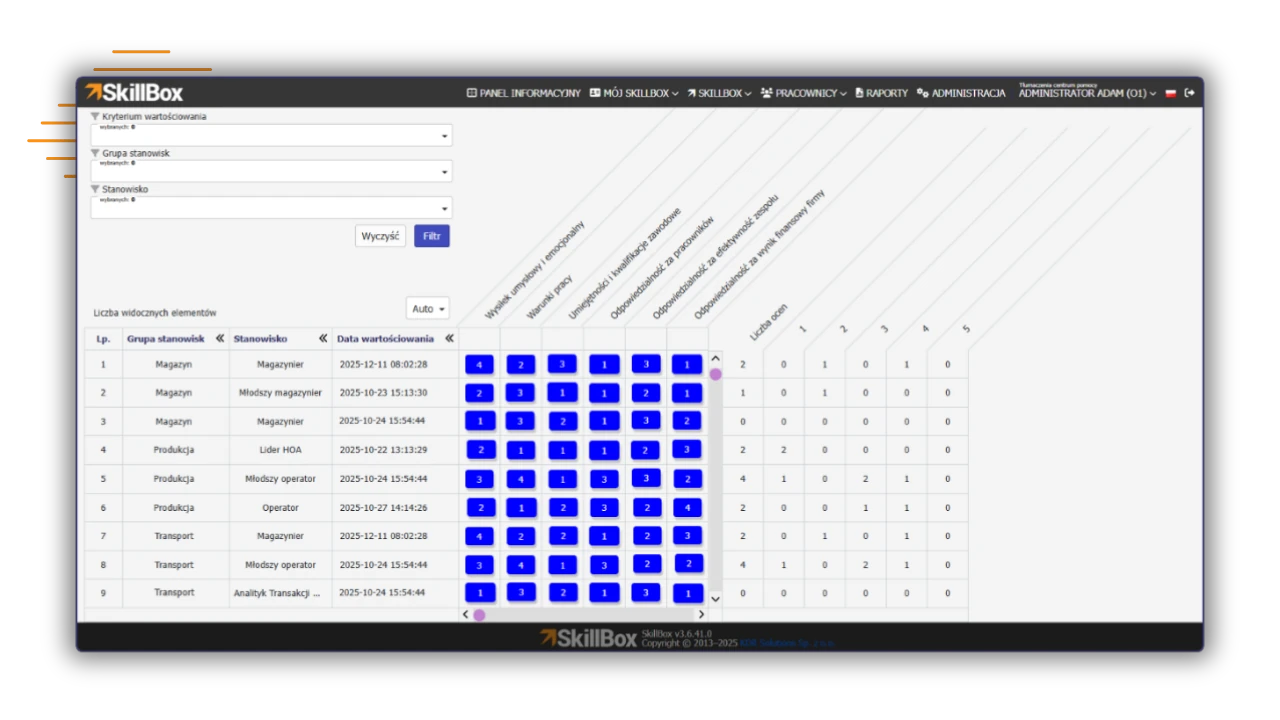
Be ready for the Pay Transparency Directive (EU 2023/970)!
Try SkillBox
Work Register
– coming soon
The Work Register enables accurate analysis of time and work results in relation to a specific position and skills. The module ensures transparency in task completion, supports performance management, and allows for objective work evaluation based on actual data.
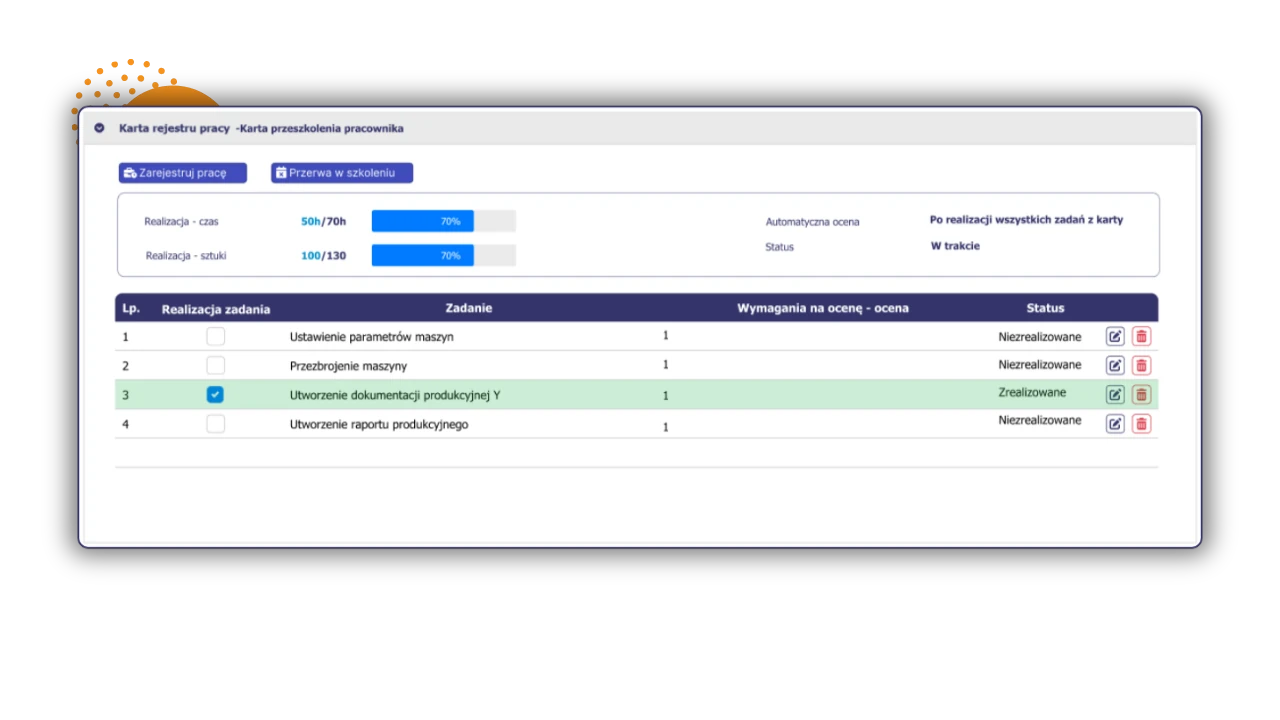
Measure your work and manage your efficiency!
Try SkillBox

We have a gift for you!
You can test managing of human capital with professional Competency Matrix in spreadsheet.